Posts tagged as:

Firefox logoAs noted in the first installment of our “Privacy Solution Series,” we are outlining various user-empowerment or user “self-help” tools that allow Internet users to better protect their privacy online-and especially to defeat tracking for online behavioral advertising purposes. These tools and methods form an important part of a layered approach that we believe offers an effective alternative to government-mandated regulation of online privacy.

In the last installment, we covered the privacy features embedded in Microsoft’s Internet Explorer (IE) 8. This installment explores the privacy features in the Mozilla Foundation’s Firefox 3, both the current 3.0.7 version and the second beta for the next release, 3.5 (NOTE – The name for the next version of Firefox was just changed from 3.1 to 3.5 to reflect the large number of changes, but the beta is still named 3.1 Beta 2). We’ll make it clear which features are new to 3.1/3.5 and those which are shared with 3.0.7. Future installments will cover Google’s Chrome 1.0, Apple’s Safari 4, and some of the more useful privacy plug-ins for browsers . The availability and popularity of privacy plug-ins for Firefox such as AdBlock (which we discussed here), NoScript and Tor significantly augments the privacy management capabilities of Firefox beyond the capability currently baked into the browser.  In evaluating the Web browsers, we examine:

(1) cookie management; (2) private browsing; and (3) other privacy features

Continue reading →

By Adam Thierer, Berin Szoka, & Adam Marcus

IE logoAs noted in the first installment of our “Privacy Solution Series,” we are outlining various user-empowerment or user “self-help” tools that allow Internet users to better protect their privacy online-and especially to defeat tracking for online behavioral advertising purposes.  These tools and methods form an important part of a layered approach that we believe offers an effective alternative to government-mandated regulation of online privacy.

In some of the upcoming installments we will be exploring the privacy controls embedded in the major web browsers consumers use today: Microsoft’s Internet Explorer (IE) 8, the Mozilla Foundation’s Firefox 3, Google’s Chrome 1.0, and Apple’s Safari 4. In evaluating these browsers, we will examine three types of privacy features:

(1) cookie management controls; (2) private browsing; and (3) other privacy features

We will first be focusing on the default features and functions embedded in the browsers. We plan to do subsequent installments on the various downloadable “add-ons” available for browsers, as we already did for AdBlock Plus in the second installment of this series. Continue reading →

By Adam Thierer & Berin Szoka

The goal of our “Privacy Solution Series,” as we noted in the first installment, is to detail the many “technologies of evasion” (i.e., user-empowerment or user “self-help” tools) that allow web surfers to better protect their privacy online—and especially to defeat tracking for online behavioral advertising purposes.  These tools and methods form an important part of a layered approach that, in our view, provides an effective alternative to government-mandated regulation of online privacy.

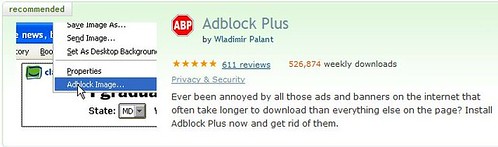
In this second installment in this series, we will highlight Adblock Plus (ABP), a free downloadable extension for the Firefox web browser (as well as for the Flock browser, though we focus on the Firefox version here).

Adblock Plus

Purpose: The primary purpose of Adblock Plus is to block online ads from being downloaded and displayed on a user’s screen as they browse the Web.  In a broad sense, this functionality might be considered a “privacy” tool by those who consider it an intrusion upon, or violation of, their “privacy” to be “subjected” to seeing advertisements as they browse the web.  But if one thinks of privacy in terms of what others know about you, Adblocking is not so much about “privacy” as about user annoyance (measured in terms of distracting images cluttering webpages or simply in terms of long download times for webpages).  In this sense, ABP may not qualify as a “technology of evasion,” strictly speaking.  But, as explained below the fold, ABP does allow its users to “evade” some forms of online tracking by blocking the receipt of some, but not all, tracking cookies.

Cost: Like almost all other Firefox add-ons, both the ABP extensions and the filter subscriptions on which it relies (as described below) are free.

Popularity / Adoption: While there are a wide variety of ad-blocking tools available, Adblock Plus is far and away the leader.  ABP has proven enormously popular since its release in November 2005 as the successor to Adblock, which was first developed in 2002 and reached over 10,000,000 downloads before being abandoned by its developer and even today garners nearly 40,000 downloads a week.  This history of Adblock provides further details.

ABP was named one the 100 best products of 2007 by PC World magazine and is now the #1 most downloaded add-on for Firefox with over 500,000 weekly downloads, up significantly for just a few months.  In a blog post last month, ABP creator Wladimir Palant estimated that “no more than 5% of Firefox users have Adblock Plus installed,” but that percentage is bound to grow larger as more people discover Adblock.  As one indicator of ABP’s popularity, the number of Google searches for “Adblock” has nearly eclipsed the number of searches for “identity theft,” which seems like a far more serious concern than having to look at web ads. Continue reading →